 Rewind for X
See the posts your timeline just replaced
X refreshes Home and the post you were halfway through is gone. Rewind for X keeps every post you've seen, right in your browser.

Kept as you scroll
Once half a post has been on screen, its author, text, images, quoted post and link are saved. Ads are skipped.
One key away
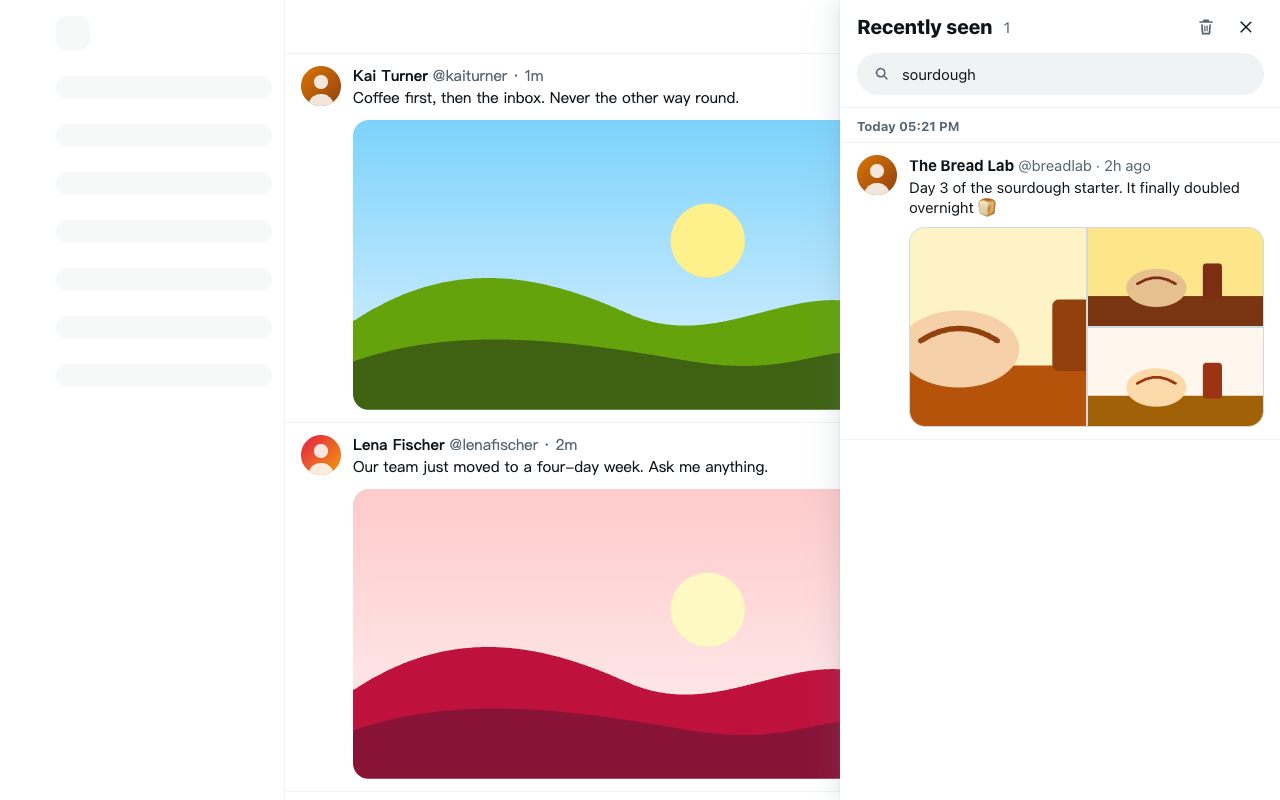
Open the drawer from the button above X's own, the toolbar icon or Alt Shift R. Newest first, grouped by when you saw them.
Opens in a new tab
Click a post to read it on X without refreshing Home and losing your place again.
Search everything
Find a post by author, @handle, any word in it, or the text inside its images.
Filter by kind
Show only posts with images, videos, quotes or reposts.
Matches X
Follows X's light, dim and dark themes, on desktop and narrow windows alike.
Your history stays on your device
Posts are stored in your browser's local extension storage. No accounts, no analytics, nothing uploaded.
The newest 3,000 posts are kept. Clear them all with two clicks.
Install
- Download the extension and unzip it.
- Open
chrome://extensionsand turn on Developer mode. - Click Load unpacked and choose the unzipped folder.
- Open or refresh
x.com/home.